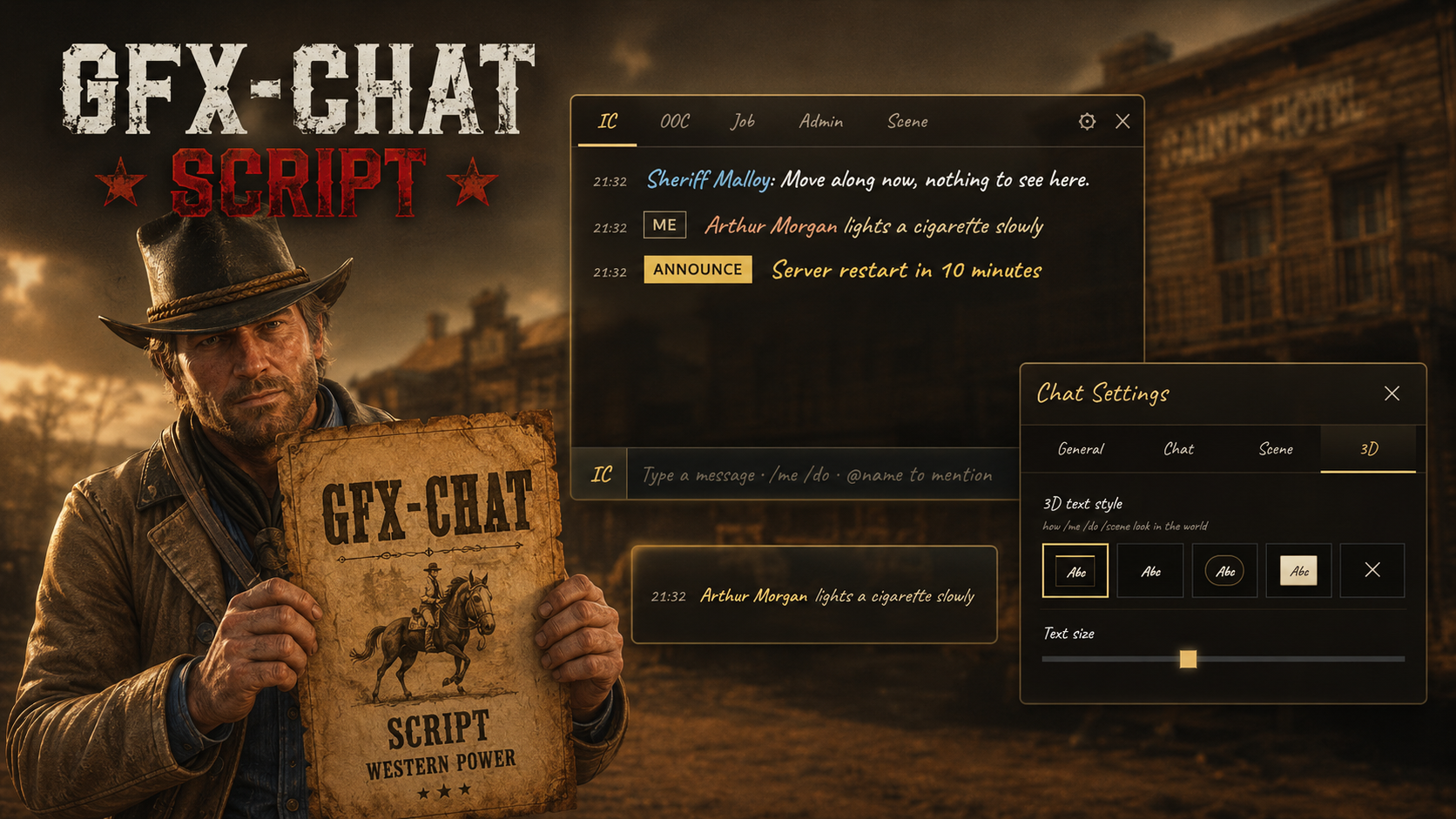
GFX Chat replaces the default RedM chat box with a fully custom, western-themed chat system built for Red Dead roleplay servers that care about immersion, moderation, and communication quality.
The default RDR2 chat UI breaks atmosphere the moment a player types. GFX Chat fixes that by giving your server a hand-crafted interface with proximity and global modes, moderation tools, word filtering, spam protection, auto- announcements, and Discord logging — all wrapped in a clean NUI that fits the Red Dead world.
Server owners get better control. Staff get better moderation tools. Players get a chat system that feels native to the frontier instead of a modern desktop overlay.
Watch the showcase video on YouTube
Key Features
Chat Modes
Proximity Chat — keeps communication local and realistic
Global Chat — for server-wide communication when needed
Players always know which mode they are in
Moderation Tools
/mute [id] [minutes] — mute a player for a set duration
/unmute [id] — restore chat access instantly
Kick from chat UI — remove troublemakers without opening another menu
/clearall — clear chat for the whole server
/announce — send a styled server-wide alert
Server Protection
Configurable word filter for blocked words and patterns
Spam protection to stop rapid message flooding
Message length limit to keep chat readable
Silent blocking on filtered content before it reaches other players
Auto-Announcements
Schedule recurring messages for Discord links, rules, events, or reminders
Fully configurable from
config.luaUseful for keeping the playerbase informed without manual work
Discord Logging
All chat messages can be logged to Discord via gfx-logs
Full moderation visibility for staff and admins
Review incidents and enforce rules with confidence
Custom NUI Chat Interface
Fully replaces the default RedM chat box
Styled alerts and notifications for announcements and system messages
Built-in command suggestions when typing
/Input history and emoji support for a smoother user experience
Admin name styling for staff visibility
Compatibility
Game: RedM
Frameworks: Compatible through the GFX bridge layer
Dependencies: gfx-base, gfx-logs (optional)
Requirements
gfx-base
gfx-logs (optional, for Discord logging)
Support & Documentation
Full documentation is available at redm.gfxdevelopment.com/docs/gfxr-chat. Support is provided via Discord ticket system.
Discord | Store | Open Source | Escrow
Tags: redm chat, red dead roleplay chat, redm roleplay, western chat system, redm moderation tools, redm discord logging, redm proximity chat, redm global chat, redm chat script, rdr2 chat